
2 year warranty


MonitorUltraWide LCD monitor
345E2LE/89
Experience true color, unconstrained visuals
The Philips E line UltraWide display offers expansive panoramic visual. Features like CrystalClear WQHD display and ergonomic stand guarantee the optimal viewing conditions. Multiview technology ensures productivity.
Experience true color, unconstrained visuals
E Line
34" (86.36 cm)
3440 x 1440 (WQHD)
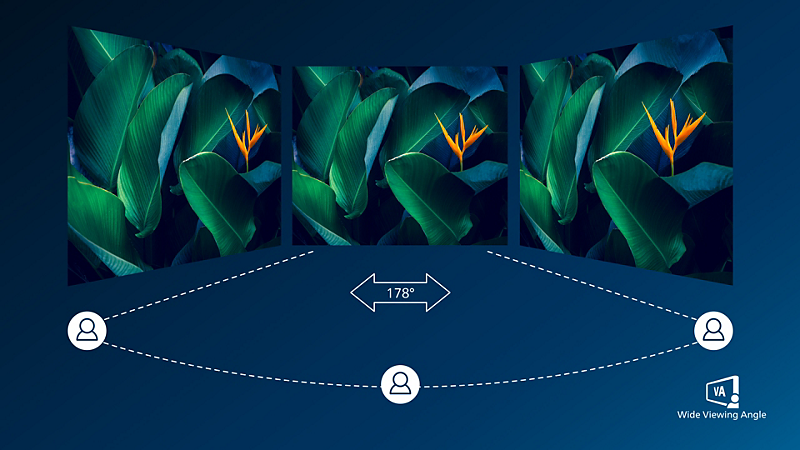
VA display delivers awesome images with wide viewing angles
Philips VA LED display uses an advanced multi-domain vertical alignment technology which gives you super-high static contrast ratios for extra vivid and bright images. While standard office applications are handled with ease, it is especially suitable for photos, web-browsing, movies, gaming, and demanding graphical applications. It's optimized pixel management technology gives you 178/178 degree extra wide viewing angle, resulting in crisp images.

CrystalClear images with UltraWide QHD 3440 x 1440 pixels
These Philips screens deliver CrystalClear, UltraWide Quad HD 3440 x 1440 pixel images. Utilizing high performance panels with high-density pixel count, 178/178 wide viewing angles, these new displays will make your images and graphics come alive. The UltraWide 21:9 format enables more productivity with more room for side-by-side comparisons and more viewable spreadsheet columns. Whether you are demanding professional requiring extremely detailed information for CAD-CAM solutions, or a financial wizard working on huge spreadsheets, Philips displays delivers CrystalClear images.

1ms (MPRT) fast response for crisp image and smooth gameplay
MPRT (motion picture response time) is more intuitive way to describe the response time, which directly refers the duration from seeing blurry noise to clean and crisp images. Philips gaming monitor with 1 ms MPRT effectively eliminates smearing and motion blur, delivers shaper and precise visuals to enhance gaming experience. Best choice for playing thrilling and twitch-sensitive games.
Technical Specifications
The maximum resolution works for either HDMI input or DP input.
For best output performance, please always ensure that your graphic card is capable of achieving the maximum resolution and refresh rate of this Philips display.
Response time value equal to SmartResponse
MPRT is to adjust brightness for blur reduction, so cannot adjust brightness while MPRT is turned on. To reduce motion blur, LED backlight will strobe synchronously with screen refresh, which may cause noticeable brightness change.
MPRT is gaming-optimized mode. Turn on MPRT may cause noticeable screen flickering. It is recommended to turn off when you are not using the gaming function.
NTSC Area based on CIE1976
sRGB Area based on CIE1931
The monitor may look different from feature images.